The console
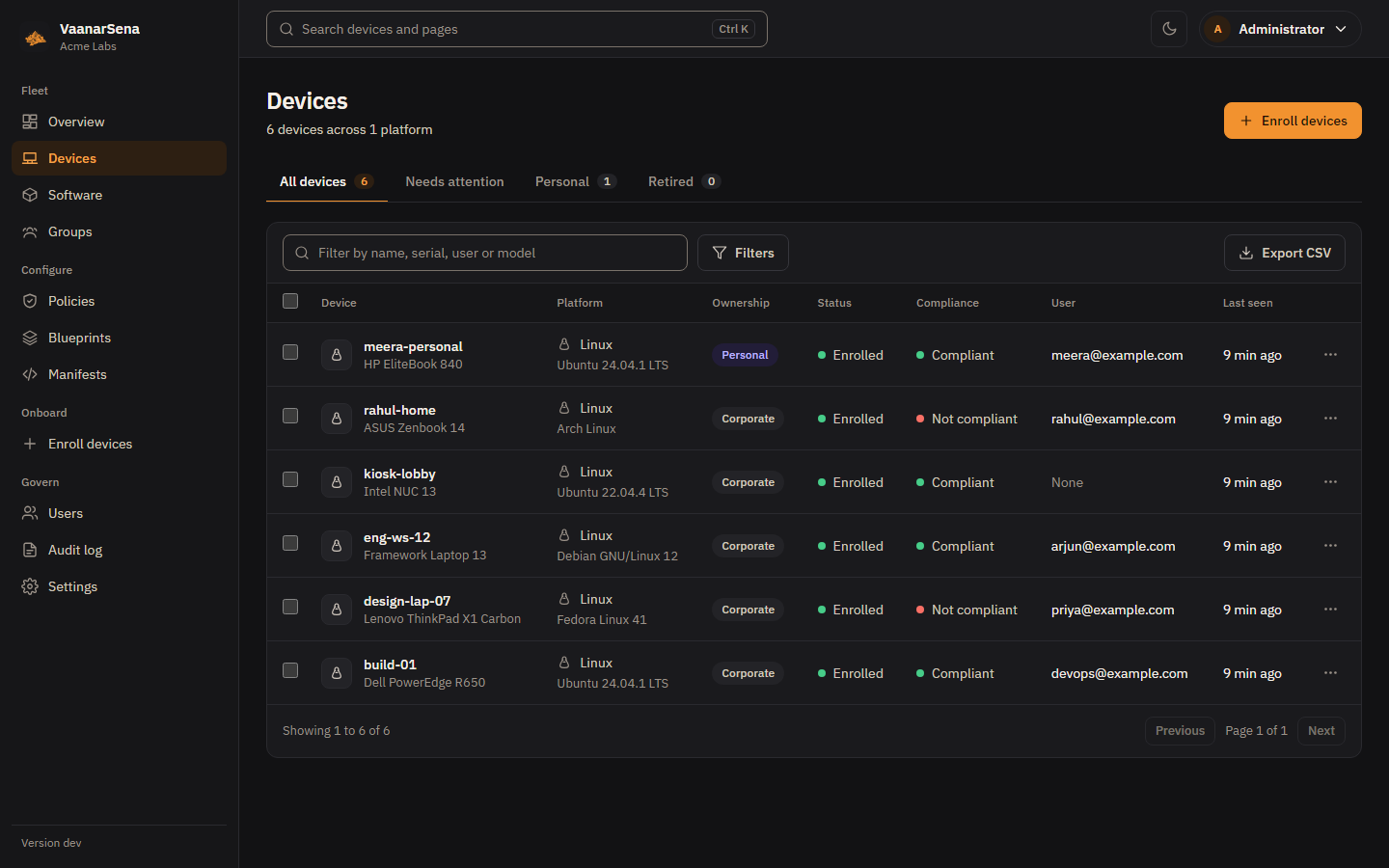
The web console is built into the server: there is nothing extra to install.
It works in light and dark themes and down to phone width. Everything it
does goes through the same REST API that vsctl and your own
automation use.
Press Ctrl K (Cmd K on a Mac) anywhere to jump to a page or find a device by name, serial or user. The theme menu in the top bar switches between light, dark and your system setting. Editors with unsaved changes ask before you leave them, including with the browser's back button.
Overview
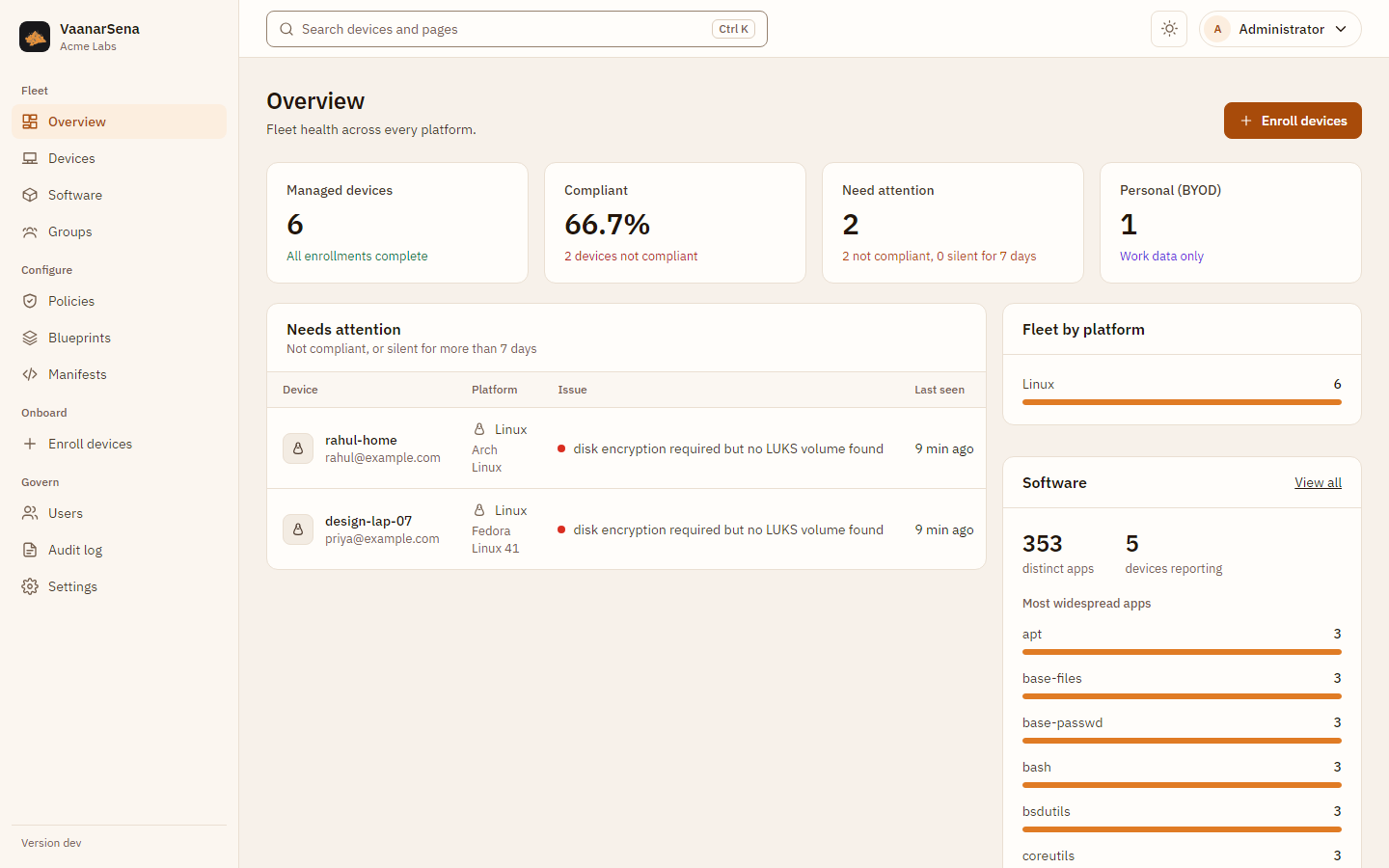
How many devices are under management and how many need attention, by platform, with the devices that are not compliant or have gone quiet, and which platforms still need setup.
Devices
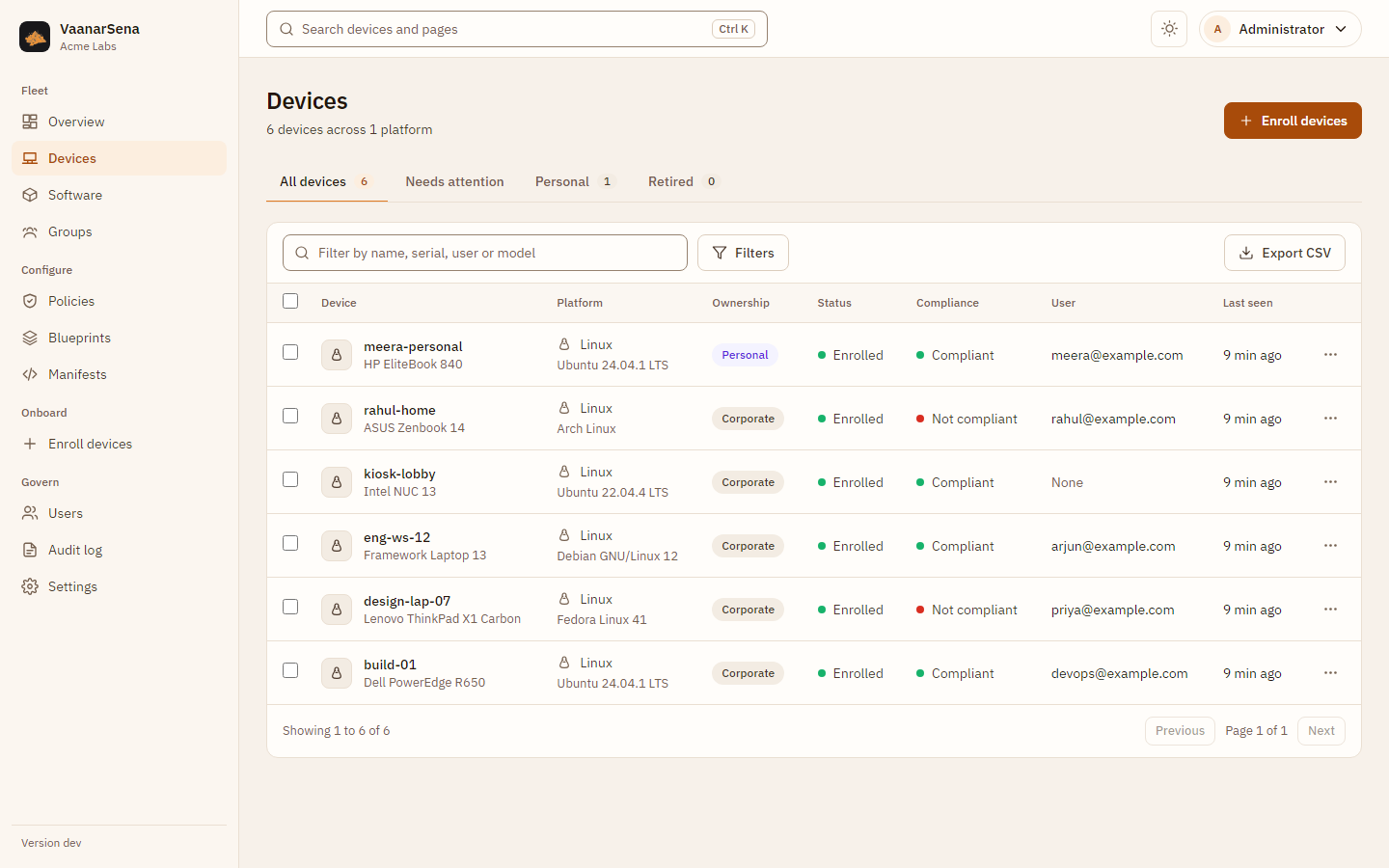
Filter by platform, ownership, status or group, and search by name, serial, user or model. Select several devices to send a command, add them to a static group or tag them at once; only commands valid for every selected device are offered.
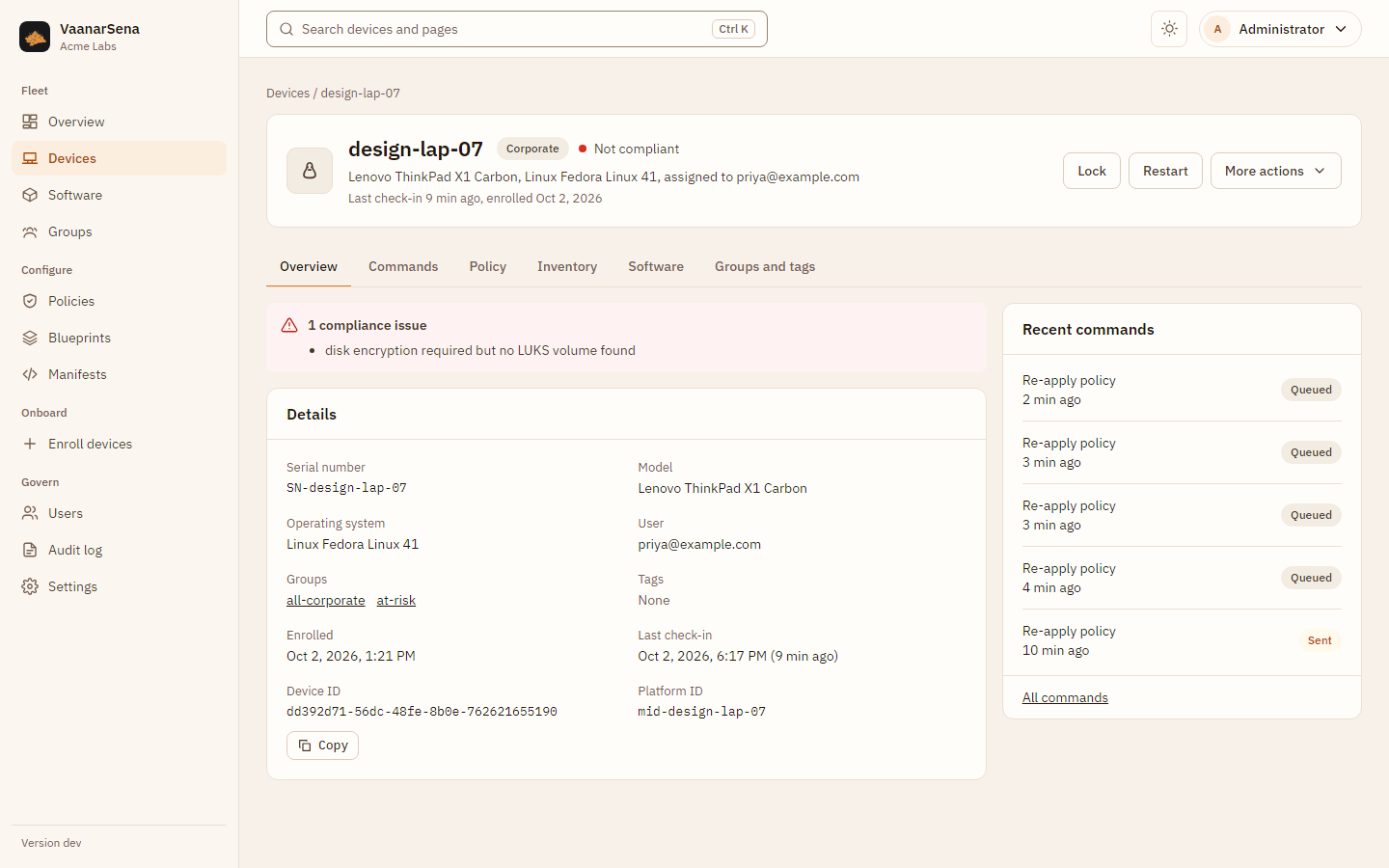
The device page shows compliance issues, properties, command history, the effective policy (the merge of everything that applies), the raw inventory and its groups and tags. Commands have proper forms (a lock message on Apple, a macOS PIN, an app ID, a script), and on personal devices only work-container commands are offered. Edit details in the device's actions menu renames it or changes its user; admins can also reclassify it between company-owned and personal, which re-evaluates its groups and policy at once.
Software
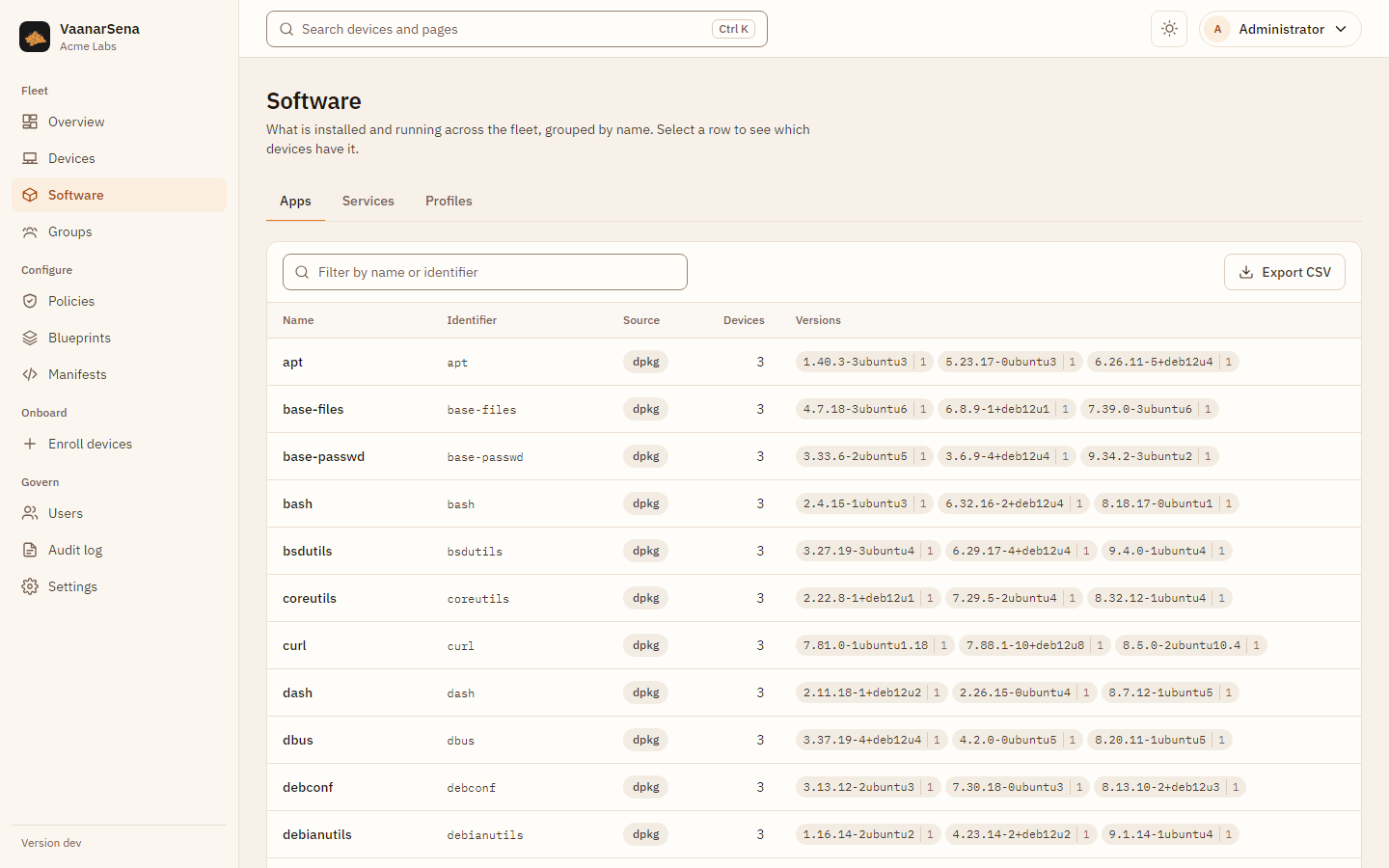
Software lists what is installed and running across the fleet: apps, services and configuration profiles, grouped by name with the number of devices and the most common versions. Select a row to see which devices have it and at which version. Each device also has a Software tab with its own list, search, CSV export and a button to refresh it.
| Platform | Apps | Services | Profiles |
|---|---|---|---|
| Linux | dpkg, rpm, pacman, apk, flatpak and snap packages | systemd services, with state and whether they start at boot | |
| macOS, iOS, iPadOS | installed apps | configuration profiles | |
| Windows | Microsoft Store and packaged apps, MSI installs | ||
| Android | apps from the device's app reports | ||
| ChromeOS | not available per device from Google |
Personal devices report less, and the server enforces it: Linux and Windows send no software at all, Apple devices list only managed apps, and Android lists only the work profile's apps. The device's Software tab says what is collected for it.
Groups
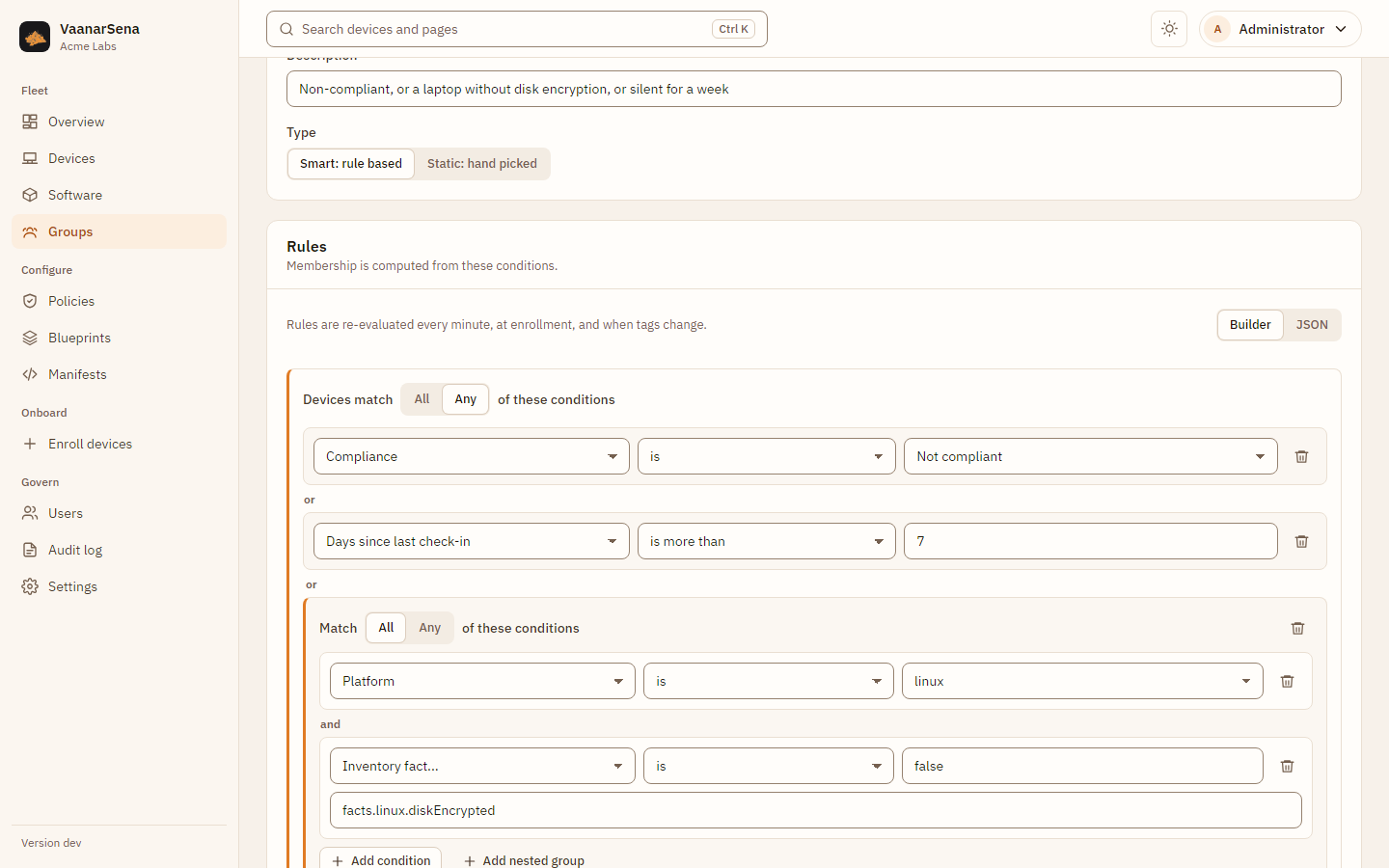
Static groups are curated by hand. Smart groups are defined by rules: pick a field (platform, OS version, ownership, compliance, tags, days since check-in, or any inventory fact), an operator and a value, and nest "all" or "any" groups for complex conditions. Preview matching devices shows who the rules match before you save. Membership updates every minute, at enrollment and when tags change.
Policies
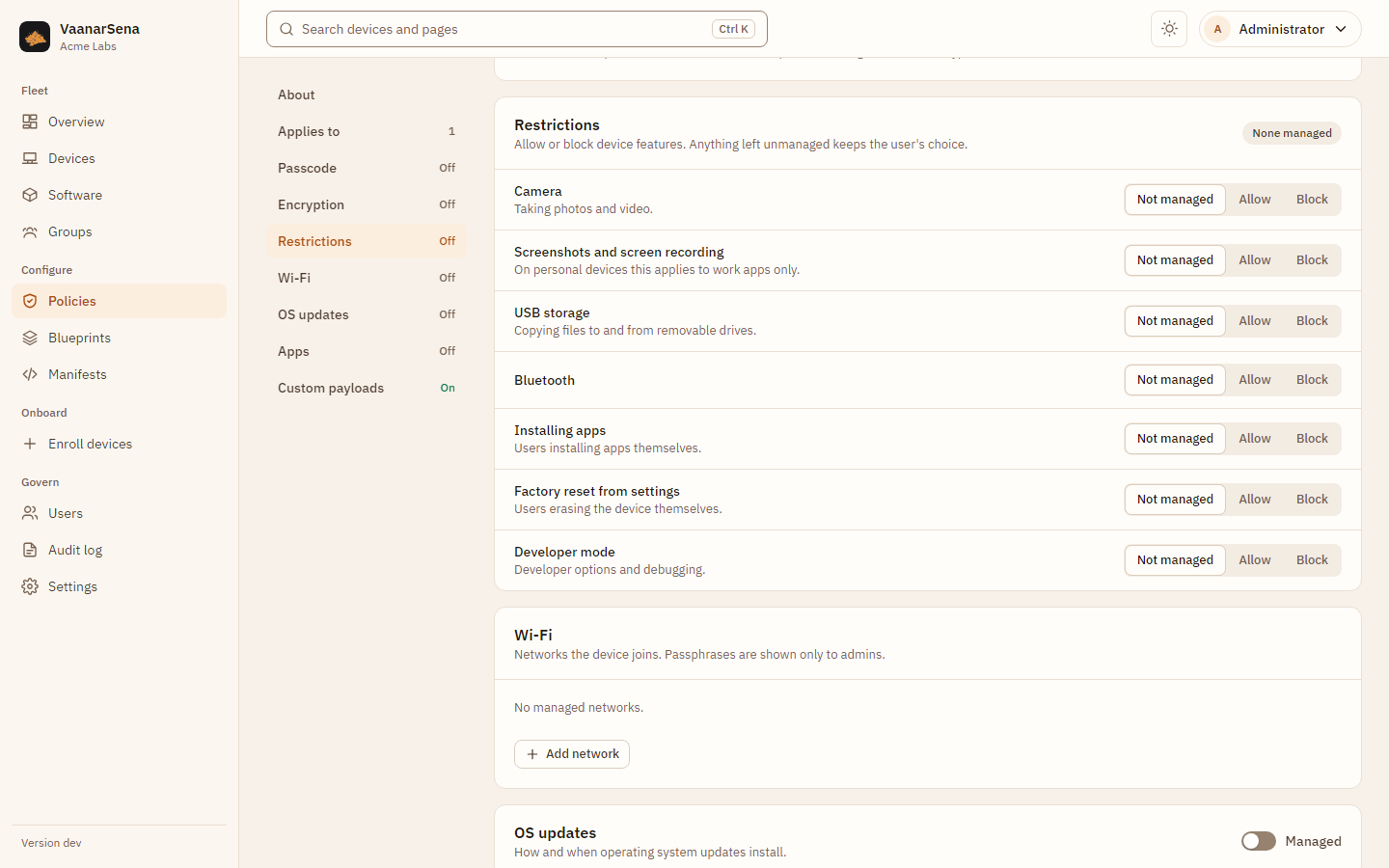
One form for every platform: passcode, encryption, restrictions (each one not managed, allowed or blocked), Wi-Fi, OS updates and apps. Lower priority numbers win when several policies apply.
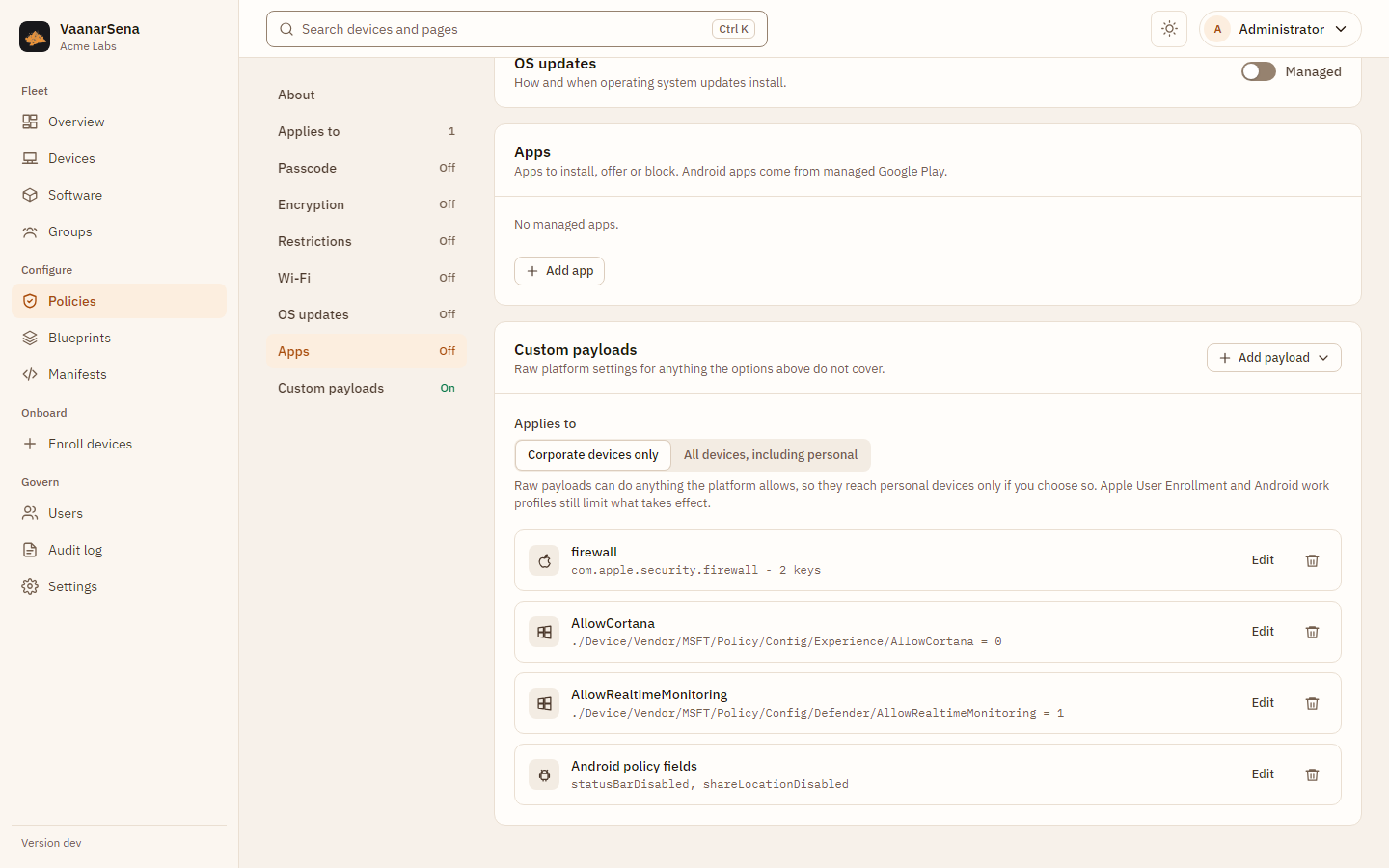
Custom payloads cover anything else: Apple payload dictionaries or an
uploaded .mobileconfig, Windows OMA-URI settings with their operation and
format, and raw Android Management API fields. They reach personal devices only
if you choose so.
Every editor has a JSON view of the same document, the format manifests and the API use.
Blueprints
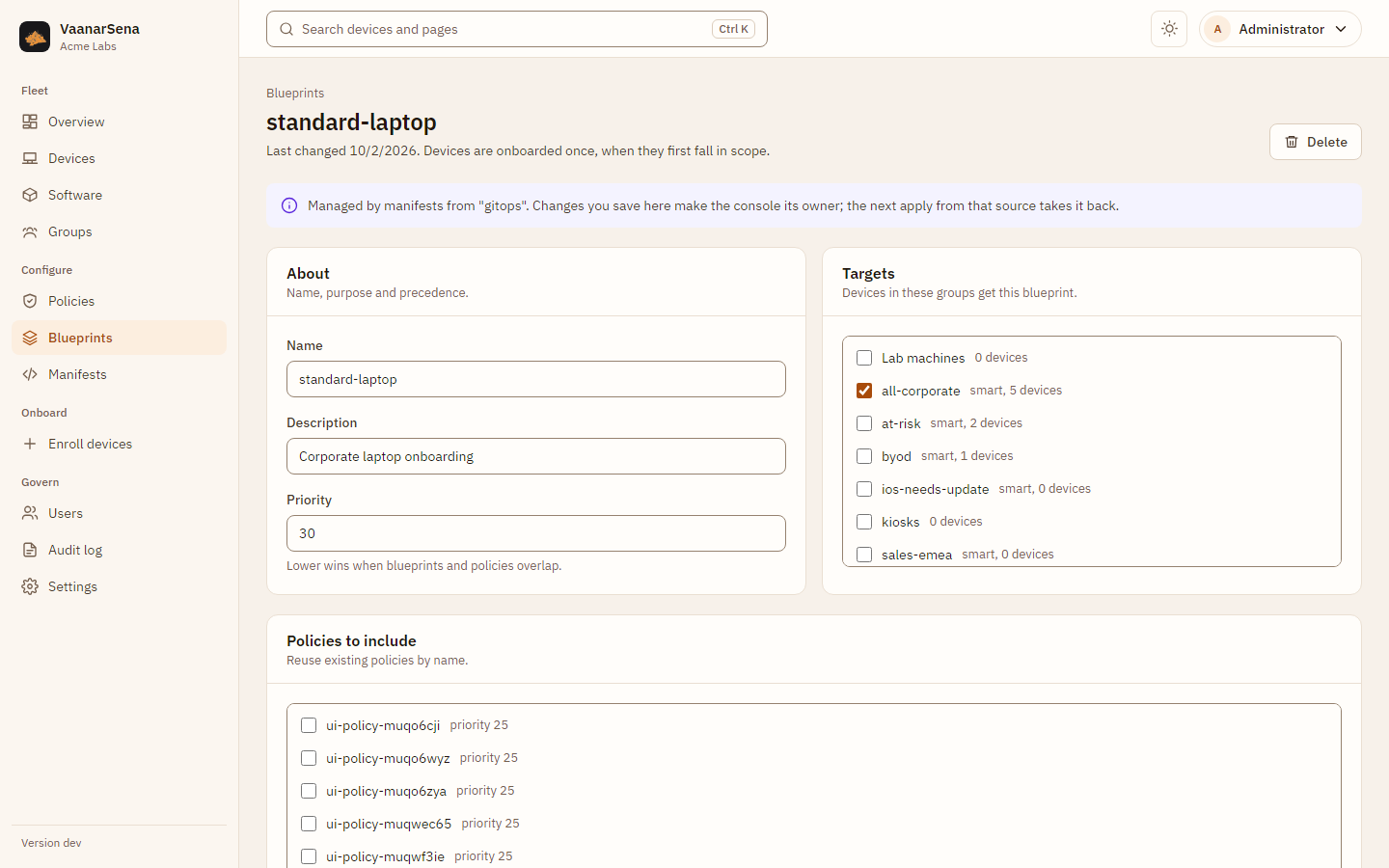
Bundle existing policies, extra settings and onboarding steps (for example install an app, run a script, update the OS) and target groups. Each device runs the onboarding steps once, when it first falls in scope.
Enroll devices
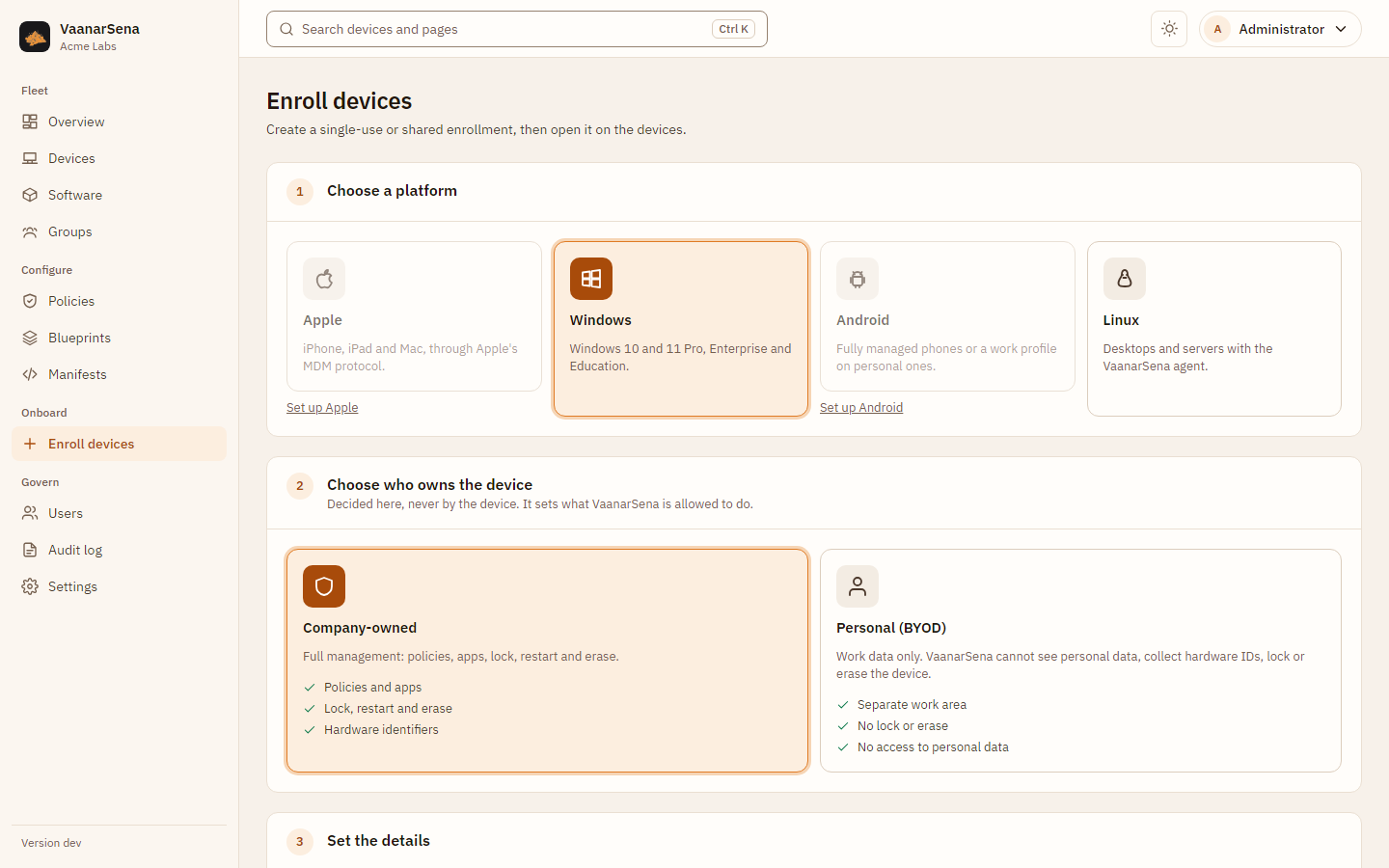
Pick the platform and the ownership, then optionally a user, a group, how many devices may use the link and when it expires. The result is the link, QR code or command to use on the device, shown once. Platforms that are not set up link straight to their setup.
Manifests
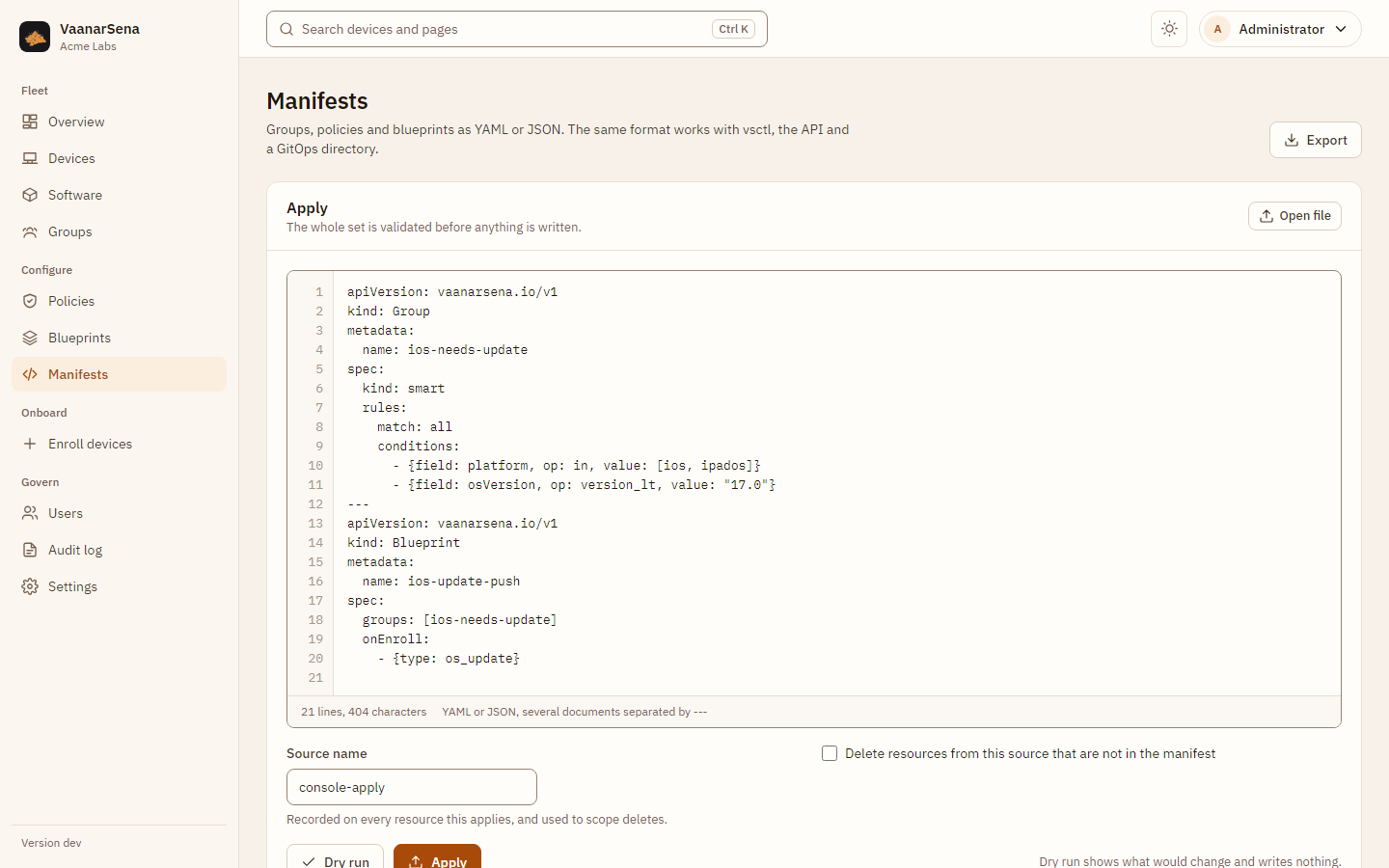
Paste or open YAML or JSON manifests, preview the changes with a dry run, and apply. Export downloads everything as manifests to keep in Git. See Manifests.
Settings
Platforms connects Apple, Google, Android Enterprise and ChromeOS (see Platform setup). Webhooks sends signed notifications to other systems when a device's compliance, enrollment or ownership changes, with a delivery history, retries and test events (see Webhooks). Server shows the version, public address and device certificate authority.
Govern
Users have one of three roles: auditors read, operators manage devices and enrollment, admins do everything. The audit log records every change, sign-in and refused command, and cannot be edited, even in the database. Account is where you change your password and create API tokens for automation.
With single sign-on configured, the sign-in page offers "Sign in with ..." above the password form, and Users shows whether each person signs in with SSO, a password or both.