Open source · MIT · Claude Code, Codex, Gemini CLI
Security review agents
that remember.
indra maps a codebase, hunts vulnerabilities with a team of specialist agents, chains findings into real attack paths, verifies impact, and reports. Every run teaches the next one, and a local console lets you watch every agent at work.
/plugin marketplace add dmdhrumilmistry/indra
/plugin install indra@indra
/indra full security review of ./api
A review team, not a single prompt
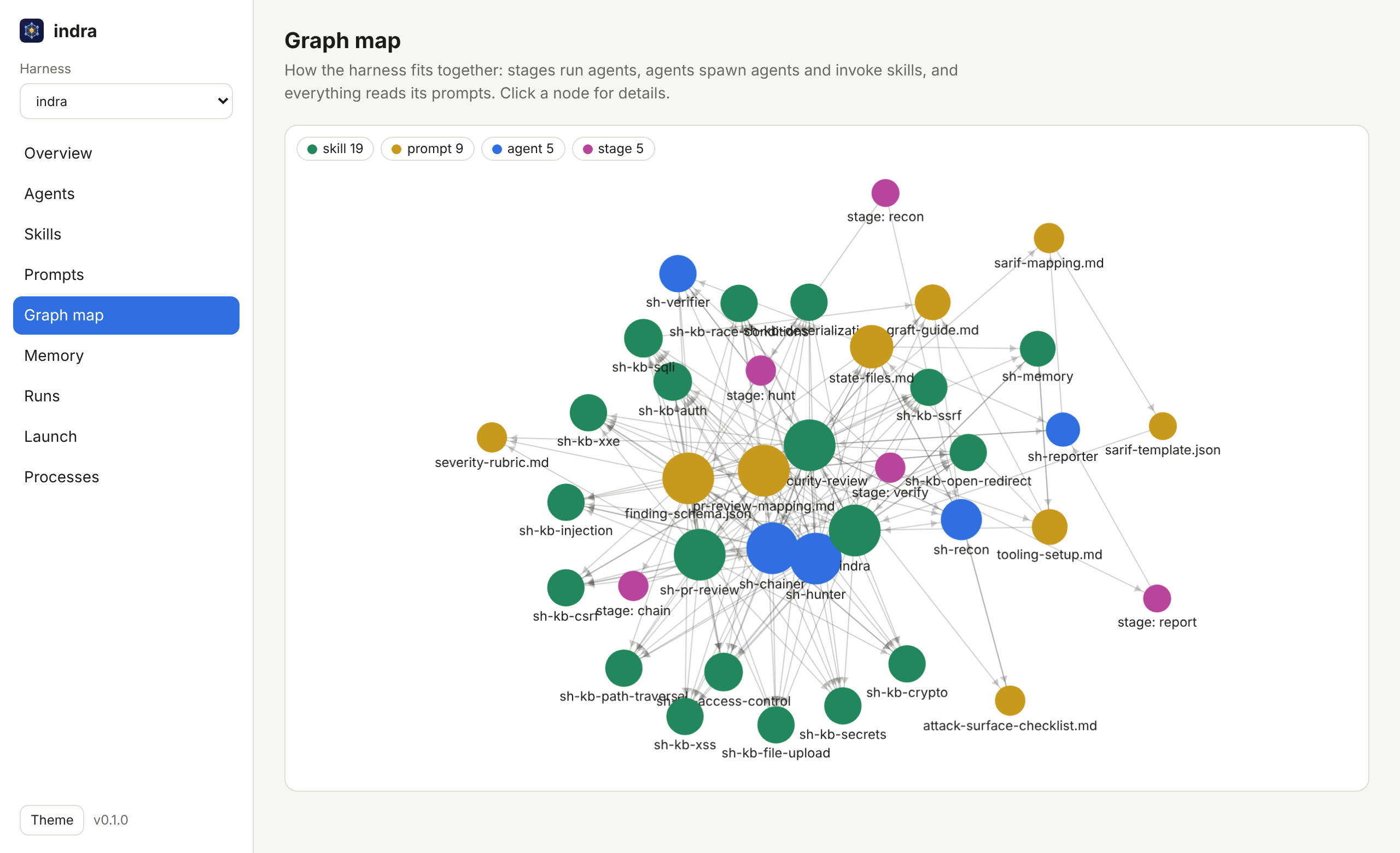
One /indra request runs a pipeline of agents, each on the model its job needs. They coordinate through files, so every step is inspectable.
- ReconBuilds a code graph, the SBOM and known CVEs, and maps every entry point and trust boundary.
- HuntOne hunter per vulnerability class, in parallel, each loading its own knowledge base of 15.
- ChainCombines findings into escalations: an SSRF plus cloud metadata becomes credential theft.
- VerifyRefutes first, then proves exploitability from evidence, with a PoC, CVSS and a fix.
- ReportREADME, JSON, SARIF for code scanning, HTML and PDF.
- RememberRecords verified findings and false positives, so the next run starts ahead.
indra mem
Memory as a net of linked notes
Indra's net is an endless net with a jewel at every knot, each reflecting all the others. indra's memory works the same way: small Markdown notes joined by typed links like mitigated-by and instance-of.
- Recall that follows links. Search finds a note; the graph brings in its mitigation, its false positives and its siblings, and says why.
- Plain files. A vault is a folder that opens as-is in Obsidian and diffs cleanly in git.
- Safe by design. Findings are remembered without evidence, payloads or secrets.
- Connected. Import Obsidian, Notion exports and GitHub wikis; publish findings to Jira, Confluence, GitHub issues and Notion.
$ indra mem recall "django raw sql"
$ indra mem tree sqli
$ indra mem path "SSRF" "cloud credentials"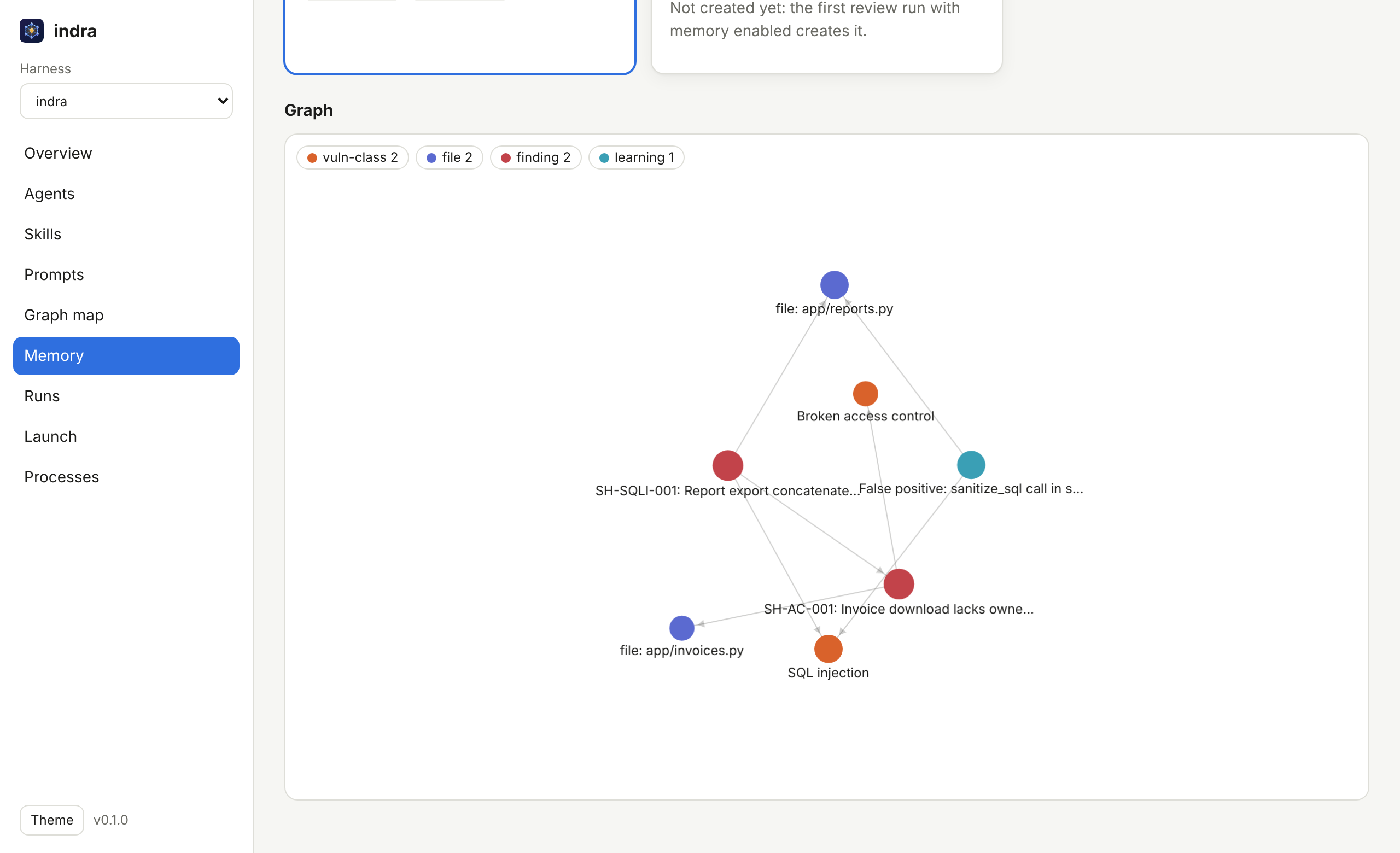
indra serve
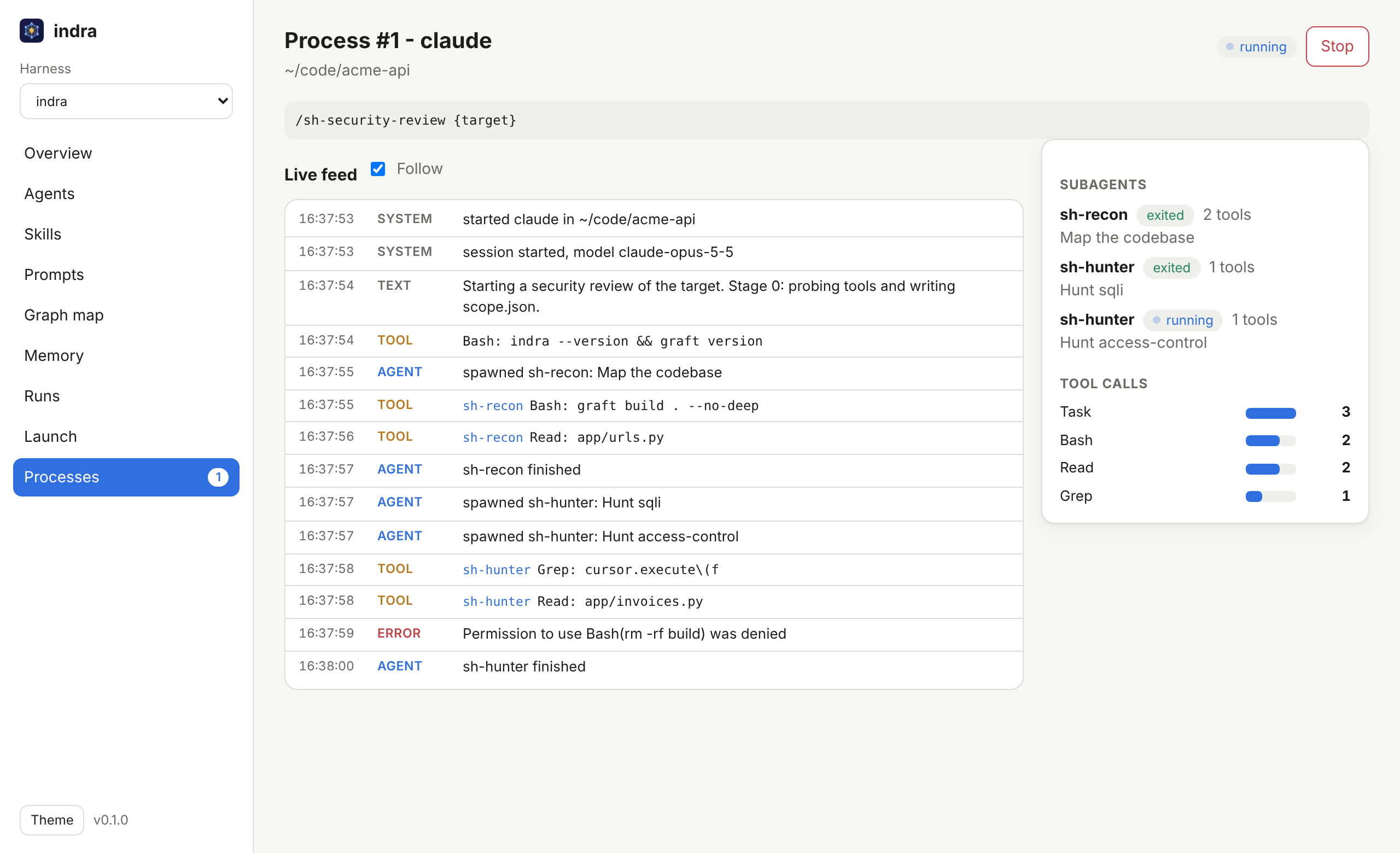
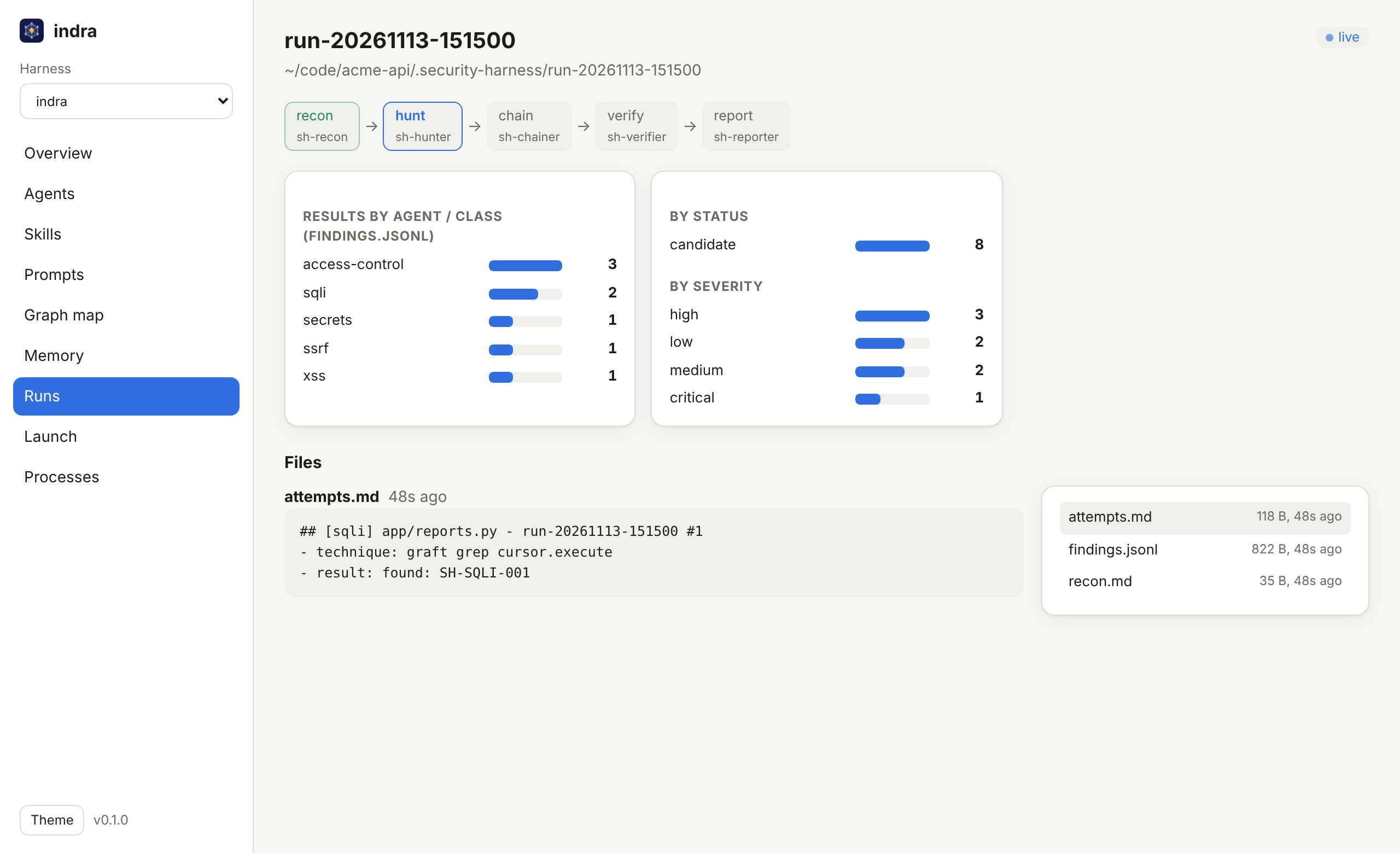
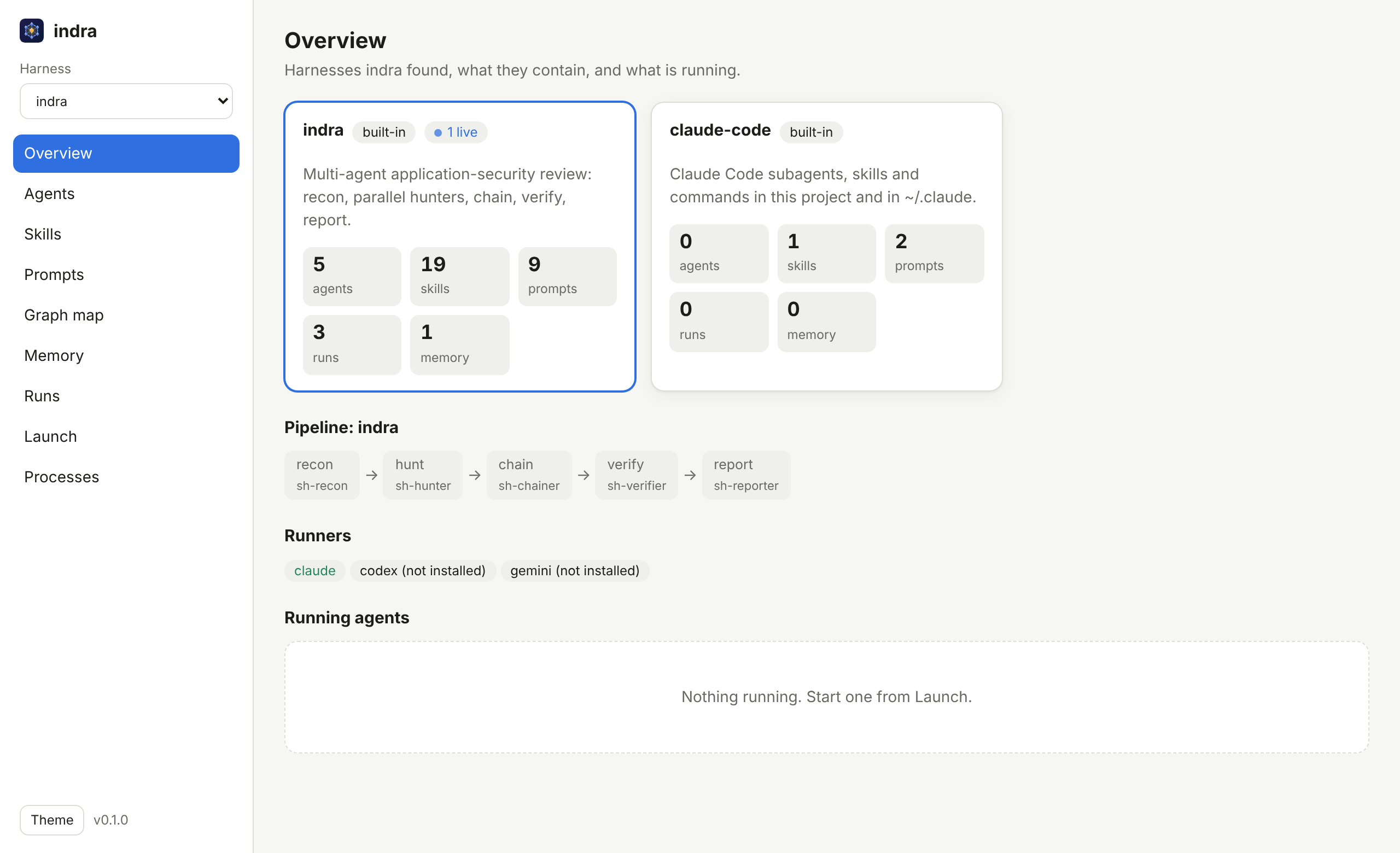
Watch every agent at work
A local web console for indra and for any other agent harness. Launch a review and see each subagent it spawns, every tool call it makes, the permissions it was refused, and what it cost.
Locked down like a remote shell
Loopback only by default, a token on every call, DNS-rebinding and CSRF checks, no shell (the prompt is one argument) unless you start it with --shell, file access confined to the harness, and a strict Content-Security-Policy.
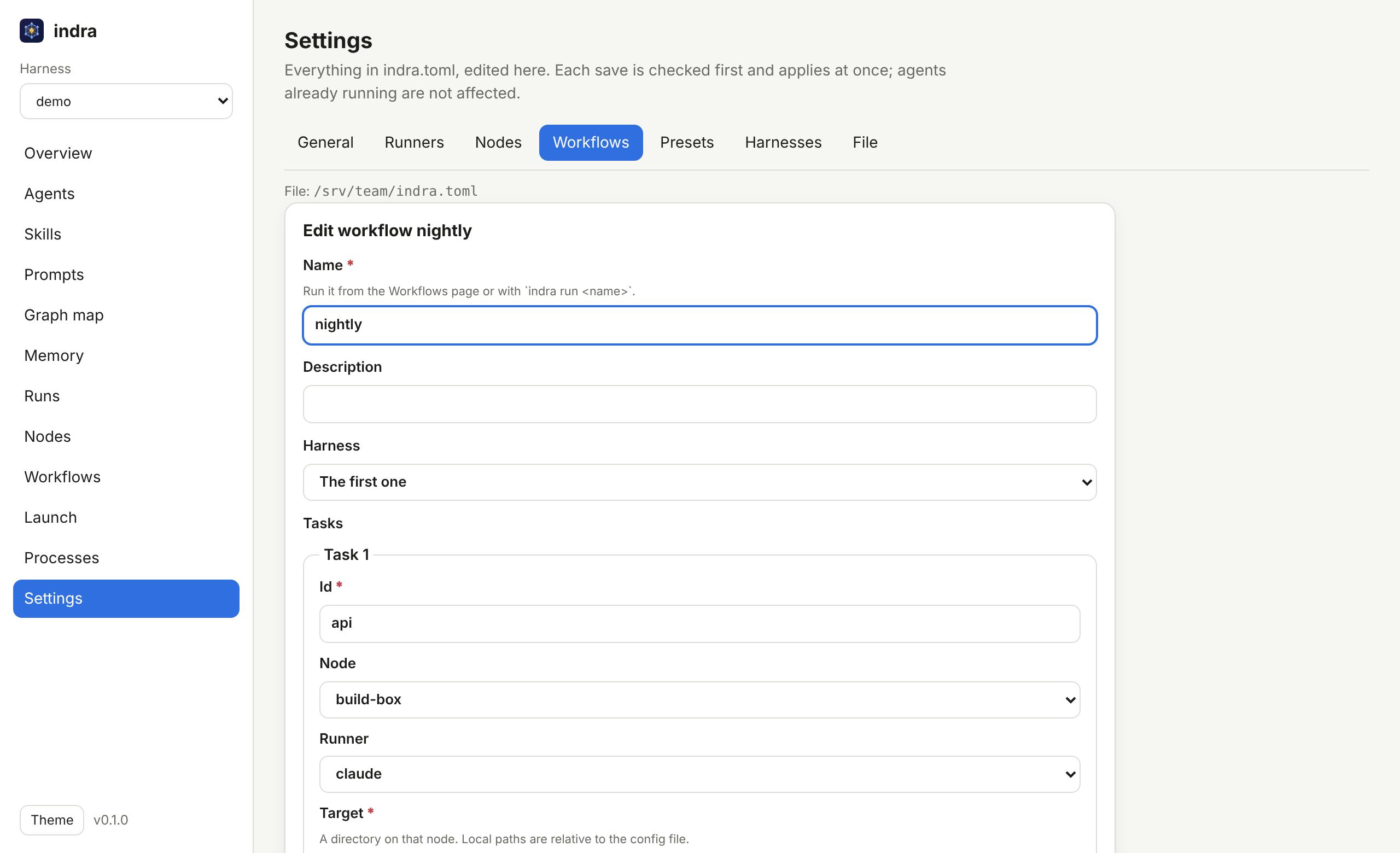
Configure everything from the browser
Runners, remote machines, workflows, presets, harnesses and capacity, on a Settings page. Every save is checked before it is written, applies at once, and keeps the comments in your indra.toml.
Steer agents from a terminal
indra attach follows an agent live in your own terminal: approve its tool requests, switch its mode or model, send it a message, or pivot it. With indra serve --shell the console also opens a real terminal in the browser, with your shell, Claude Code, or an agent's own session.
$ indra attach
process 7 running  claude on local  in ~/code/my-api
? asks to use Bash: npm test
  [1] Bash: {"command":"npm test"}
/always
? allowed Bash (always, for this session)
/pivot focus on the session fixation in auth/
indra nodes · indra run
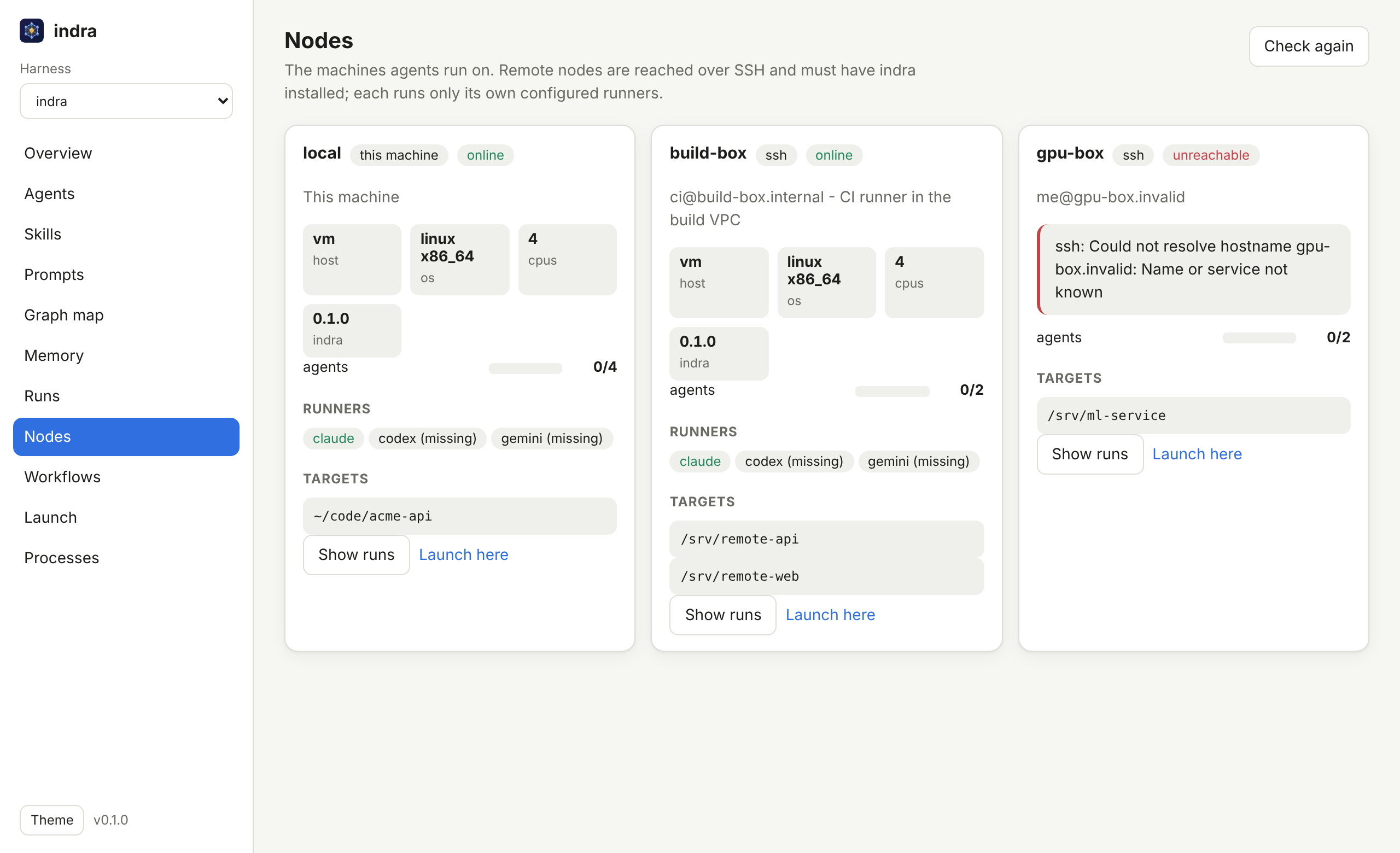
Orchestrate agents across machines
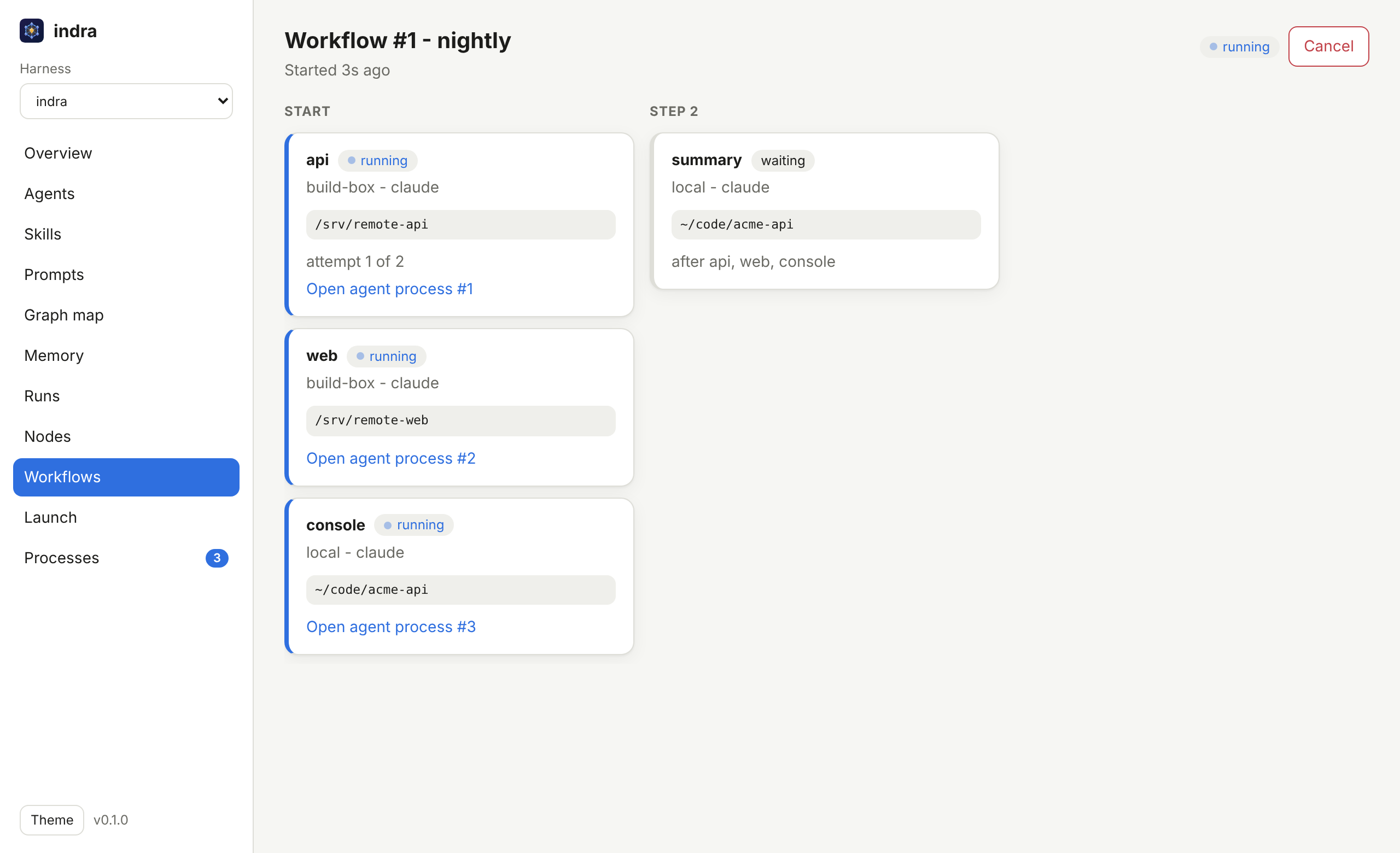
Run agents on this machine and on any machine you can SSH into. Chain them into workflows that run in dependency order, within each machine's capacity, with retries and cancel.
[[node]]
name         = "build-box"
ssh          = "ci@build-box.internal"
max_parallel = 2
targets      = ["/srv/api", "/srv/web"]

[[workflow.task]]
id     = "summary"
prompt = "Summarise tonight's reviews."
needs = ["api", "web"]- No daemon, no open port. Remote machines are reached with your SSH keys and known hosts.
- Nothing reaches a remote shell. The job travels as JSON; the remote runs only its own runners.
- Stop means stop. Closing the session ends the agent's whole process tree on the remote.
- Cron and CI ready.
indra run nightlyexits non-zero if any task failed.
Guides
Everything else is in the documentation: installing, the review pipeline, pull request review, and the indra CLI.
Handling agent processes
Launch, watch, stop and clean up after agents, where logs go, capacity, permissions and troubleshooting.
Pivoting agents
Redirect a running agent: continue its own session with a new instruction, or start fresh with a brief of what it found.
Marketplace
Install skills, agents and plugins from Claude Code marketplaces for Claude Code, Codex or a harness.
Plan and delegate
A strong model plans, cheaper or local models build each step, a reviewer checks. Any runner in any role.
Context, memory and learnings
Start agents with the relevant memory, collect what they learn in a review inbox, and manage vaults in the console.
Knowledge base and integrations
Obsidian, Notion and GitHub wikis into memory; findings out to Jira, Confluence, GitHub issues and Notion.
Install
Claude Code
/plugin marketplace add dmdhrumilmistry/indra
/plugin install indra@indra
Then ask: /indra find SQLi and IDOR in src/
Gemini CLI
gemini extensions install \
  https://github.com/dmdhrumilmistry/indra
Codex and opencode: see the install guide.
The indra CLI
curl -fsSL https://raw.githubusercontent.com/\
dmdhrumilmistry/indra/main/install.sh | sh
indra serve --open
One file for Linux, macOS and Windows (PowerShell: irm https://raw.githubusercontent.com/dmdhrumilmistry/indra/main/install.ps1 | iex). Optional: reviews run without it.
Over the palace of Indra hangs a net that stretches without end. At every knot sits a jewel, and every jewel reflects all the others.
A finding is never alone: it reflects the class it belongs to, the file it lives in, the fix that stops it and the chain it enables. indra is built around that idea.