
Guides
Pivoting agents
Redirect an agent: continue its session with a new instruction, or start fresh with a brief.
Agents drift: they chase the wrong lead, finish half the job, or the question changes while they work. Pivot gives a running or finished agent a new instruction without throwing away what it already did. The original process is kept (and by default stopped); a new one starts and records where it came from.
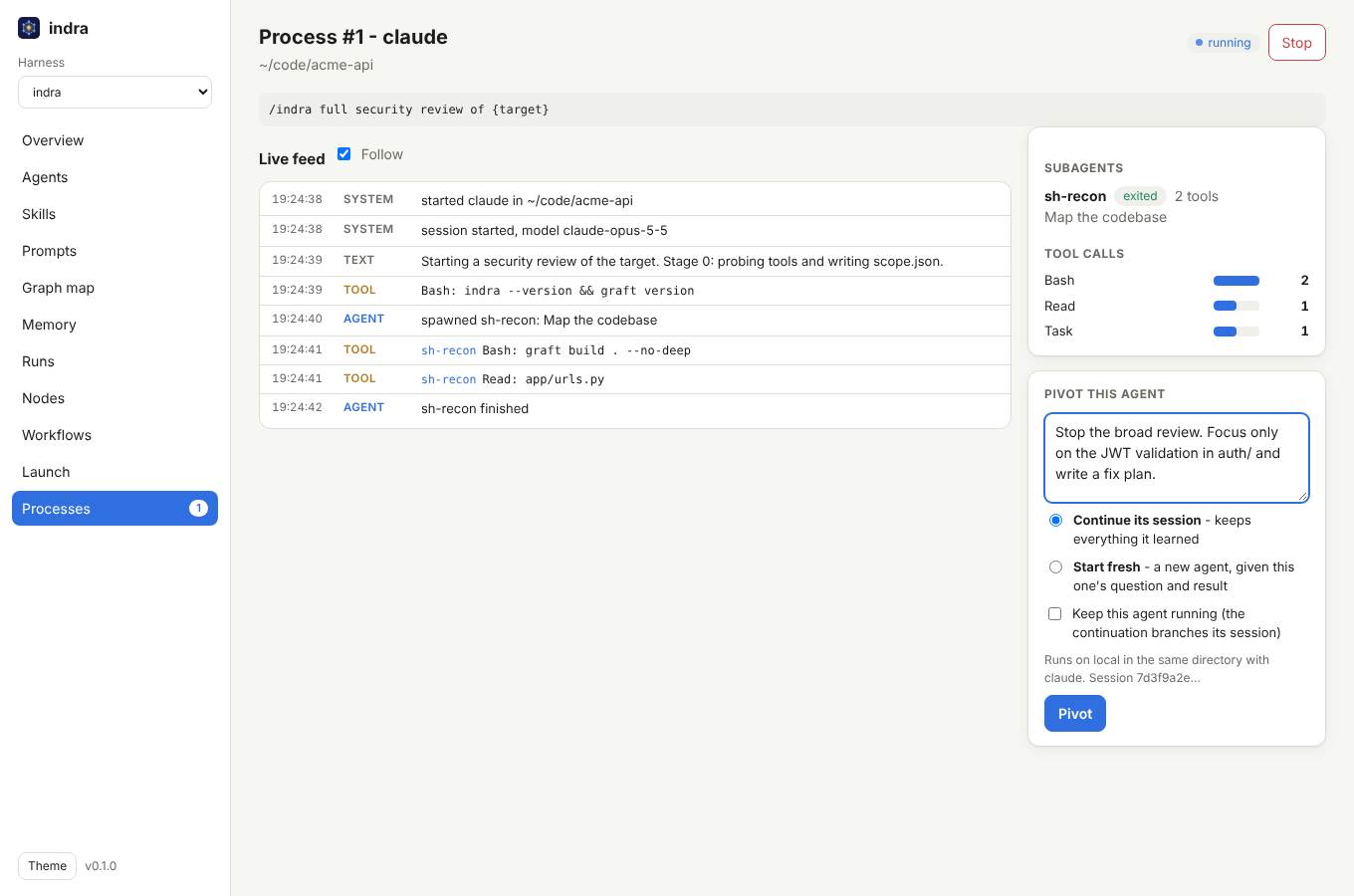
Two ways to pivot
| Mode | What the new agent gets | Use it when |
|---|---|---|
| Continue (default) | the same conversation: the runner resumes the agent's session, so it remembers every file it read and every finding so far, and your text is its next message | you want to steer: "skip the frontend, go deep on the payments service", "write the report now" |
| Fresh | a new session whose prompt is your text plus a short brief: what the earlier agent was asked, how it ended, and what it reported | the session is too long or off-track, you want a different runner or model, or the runner cannot resume |
Continue needs a runner that can resume sessions and a session id from the agent. Claude Code
reports one (session_id in its stream), so the built-in claude runner and any runner with
format = "claude-stream-json" can continue. For others, Continue is greyed out and Fresh is
used.
How to pivot
On a process page, use Pivot this agent: type the new instruction, choose Continue or Fresh, and press Pivot. Either can change the model; a Fresh pivot can also switch to another profile (and so another runner, or a model on Ollama). A continued session stays with its runner and profile, because the session lives in that runner's history. The new process opens. Its page says "Pivoted from #N (same session)" or "(fresh)", and the original lists "Pivots: #M".
By default the original is stopped first, so two agents never edit the same files at once.
Tick Keep this agent running to leave it going; a Continue pivot then forks the session
(Claude Code's --fork-session), so both agents share the history up to now and diverge from
there. That is how you try two approaches side by side.
Everything is checked before anything is stopped: an unknown mode, a runner or node that is no longer configured, or Continue on a runner without session support is refused and the original keeps running.
Over the API:
curl -s -H "Authorization: Bearer $INDRA_TOKEN" -H 'Content-Type: application/json' \
  -d '{"prompt":"Stop on the frontend. Verify the IDOR in orders and write the report.","mode":"continue","keep_running":false}' \
  http://127.0.0.1:7878/api/procs/3/pivot
# {"id":4}
mode is continue or fresh; keep_running defaults to false.
From a terminal, indra attach <id> does the same with /pivot <text> (--fresh for a fresh
start, --keep to leave the original running) and then follows the new process.
To steer by hand rather than with one instruction, start the console with indra serve --shell
and press Open in terminal (or Fork in terminal while the agent runs) on its page: the
agent's own Claude Code session opens interactively in a browser tab, in its directory.
Where it runs
A pivot runs on the same node, target and runner as the original, so a Continue finds the session where Claude Code stored it (sessions are per machine and per directory). That works the same for remote nodes: the hub sends the session id in the job and the node runs the resume.
To move work to another machine, use a Fresh-style handoff yourself: copy the original's outcome from its page into a new Launch on the other node. A session cannot follow you across machines.
Teaching a custom runner to continue
The built-in claude runner already knows how. For another CLI that can resume by id, set
resume_args (it must contain {session}) and, if it can fork, fork_args. They are added
after the runner's normal args:
[[runner]]
name        = "claude-opus"
command     = "claude"
args        = ["-p", "{prompt}", "--output-format", "stream-json", "--verbose", "--model", "opus"]
format      = "claude-stream-json"
resume_args = ["--resume", "{session}"]   # the default for claude-stream-json runners
fork_args   = ["--fork-session"]
Session ids are validated (letters, digits, -, _ and ., not starting with -) before
they reach any command line, and the prompt is still a single argument, never shell text.
Pivot, retry or re-run?
| You want to | Do this |
|---|---|
| change what an agent is doing, keeping its context | Pivot, Continue |
| start over with the lessons of a failed attempt | Pivot, Fresh |
| try two directions at once | Pivot, Continue, with Keep running |
| re-run a workflow task that failed for a transient reason | set retries on the task; it reruns from scratch |
| run the same thing again on another node or target | Launch (or fan-out) with the same prompt |